/minds

Your personal AI operating system

Make a custom second brain for running your work and life. Chat with Minds about what kind of interface and tasks you want for email, Slack, Notion, GitHub, Calendar, etc, and Minds will make personalized software for you.

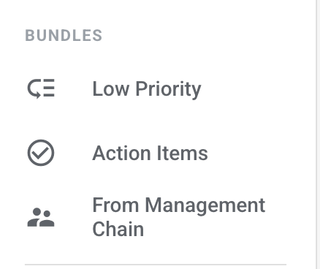
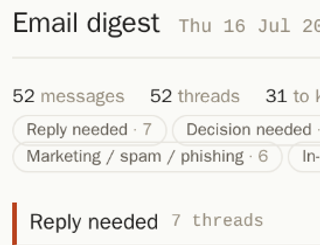
My email is overwhelming; I get 100s each day. I used Minds to make a custom email tool that shows me who I need to reply to and one-click unsubscribes and archives the cold outreach, notifications, and spam. My inbox has gone from 3700 emails to 40.

Kanjun Qiu
CEO

Kanjun Qiu
paperclip
1 / 5

How to use Minds

  1. Tell Minds your problem.

    Was your life ruined when Gmail deprecated simple HTML view? Do you feel pain every time you have to copy Slack messages asking you to do something into JIRA? Or is your life falling apart because your to-dos are spread across your email, calendar, JIRA, and Slack? You don't need to have a solution in mind (no pun intended) - just tell minds "build me a todo app from my email and calendar." And you can add "with a minimalist aesthetic" or however you'd like it to look.

  2. Allow Minds to connect to your data sources and Claude.

    Minds can connect to your actual real Gmail account - you can customize how Minds shows you emails (including "smart" things like auto-marking things as not important). Minds can *also* send, delete, archive emails - Minds can do everything you currently do with your email. The same goes for Slack, calendar, etc. You can even combine data sources - you could tell Minds to send out an email blast every time someone sends you a slack message about an event. Currently, Minds runs with Claude - connect your Claude subscription or pay for Claude through Imbue. We're working on Claude alternatives, like connecting ChatGPT, or open source models that will be free to run on your computer! Because it's built on Claude, Minds is smart enough to understand what a message is about. So if there's something you don't want to do anymore, let Minds do it for you.

  3. Use Minds with other people.

    You can share your Minds apps with your friends! There are two ways to do this: 1) You can give your friends access to your copy of the app. If Minds was a pair of shoes, this is letting your friend wear your shoes and share your foot fungus. For example, if I want my partner to be able to see and modify my to-do list, I can give them access to Minds. Or if I want someone to be able to manage my emails for me, giving them my copy of Minds is like giving them my email password. 2) You can give your friends *their own copy* of your minds app! If Minds were a pair of shoes, this would be like telling your friends your Birkenstocks are so comfortable, and buying them their own pair that looks the exact same so you can look uncool together. Maybe I made such a great email visualizer that I want my friends to be able to use it on their own email accounts, but there's no way I'm giving them access to *my* email. There is *more.* A single Minds app can also connect to data from not just you but your friends - for example, you might want to have a shared to-do list based on you and your partner's emails, or you can make a collaborative map of restaurants based on all your friends' saved Instagram reels. Just tell Minds "I want my to do list to include emails in mybestfriend@gmail.com's account." Magic! You can use what people have made directly into your Minds at https://imbue.com/minds/inspirations. Or if you're inspired and build your own, you can upload it and share with others!

  4. Unleash Minds while you touch grass.

    Minds is your personal computer but *in the cloud* and *always running*, unlike ChatGPT or Claude which wait for your response. So your Minds can auto-respond to emails while you're asleep, or make a LinkedIn post every 10 minutes, and you can keep your laptop lid closed.

Frequently asked questions

How do I get it?

Minds is in beta for Apple Silicon! Download now.

For Windows and Apple Intel users, join the waitlist.

For Linux users, build from source.

Isn't this just Claude?

Currently, Minds wraps Claude under the hood, but we’re working on making open source models an option, so users aren’t reliant on the whims of Anthropic or OpenAI.

You could indeed build your tool with just Claude, without Minds. But Minds has already figured out hosting, Gmail/Slack/Calendar/Notion/GitHub/etc integration, and mobile access. Minds is worth trying if you want to just get something done and not worry about all of the details!

Minds is free and open source, you only bring the Claude subscription. Our hosting is cheaper than AWS.

Where does my data live, and who can see it?

Minds is set up as a Debian VM. If you self host, all data would be on your machine.

If you choose cloud hosting with Imbue, your Minds will run in a cluster owned and managed by Imbue. We do not view or use your data in any way.

How is this different from Lovable/Replit?
  1. Privacy. Lovable stores and manages your OAuth tokens on their platform, and your agent and app have to go through Lovable to access (for example) Gmail. Minds' Latchkey model keeps credentials outside the agent's environment on infrastructure you can inspect (it's open source) or self-host. A Lovable app processing your data, such as your email, runs on Lovable’s cloud + Supabase, both controlled by the company. A Mind can run locally or self-hosted.
  2. Persistent compute and statefulness. A Lovable app is a web app. In Minds, you are allocated your own persistent Linux machine. You can schedule cronjobs on the VM, create long-running processes for polling, or spawn agents on demand. For example, your Minds can respond to emails automatically while you are sleeping.
  3. Continuity across Minds apps. In Lovable, each app is an isolated deployments with separate databases. In Minds every app (for a given user) shares one machine, so your TODO app can read your email app's data, and any chat can act on all of it.

Why use Minds?

Out of the box integration with email, slack, GitHub, etc.

Under the hood, Minds is Claude + a bunch of integrations we've already built in. Just tell minds "I want to build a auto-responder on slack" and give it permissions. Like ChatGPT, you can iterate by telling it what you don't like about what it's made.

Own your data: open source + self-hosted option

Our code is open source at github.com/imbue-ai/mngr - any user can audit it for privacy and security. We never see any of your data. You can also self-host on your machine. Look at how happy these people are, because they're not under the thumb of big tech!

Copy and share templates

Pull other people's tools on GitHub directly into your minds. If your coworkers or friends have built something that works for them, you can copy it and use out of the box, or customize for yourself. Publish your creations to share with others. See existing inspirations here: https://imbue.com/minds/inspirations/