/!studio

Studio [test version]

Mind for Work

Make your data useful with Mind

Mind connects to all of your tools, empowering you to build custom workflows across all of the applications you are using.

Early users get access to Mind free for themselves and their team members.

What you can do with Mind

Build custom tools to make your data useful

Mind makes it easy to build fully-functioning tools that enable you and your team to use your data more effectively.

Connect all of your data sources

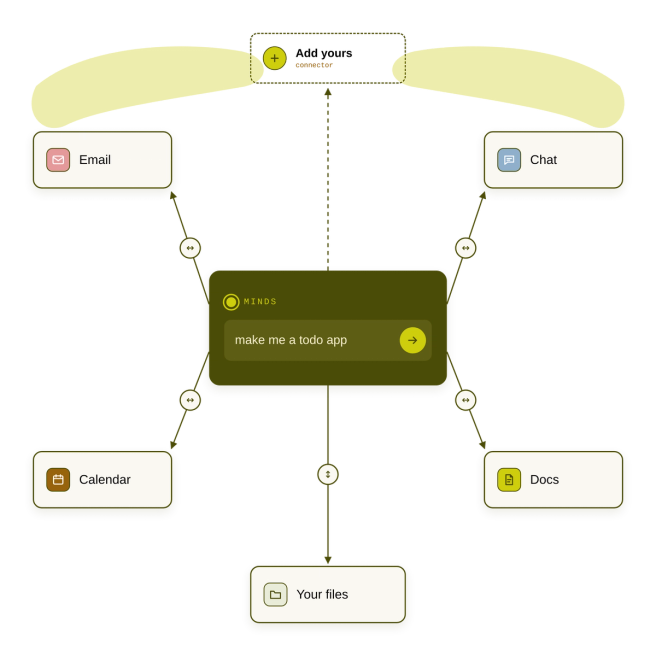
Notion, Slack, Gmail, Google Sheets… wherever your data lives, Mind can bring them together in a unified workspace.

Create agentic workflows within your tools

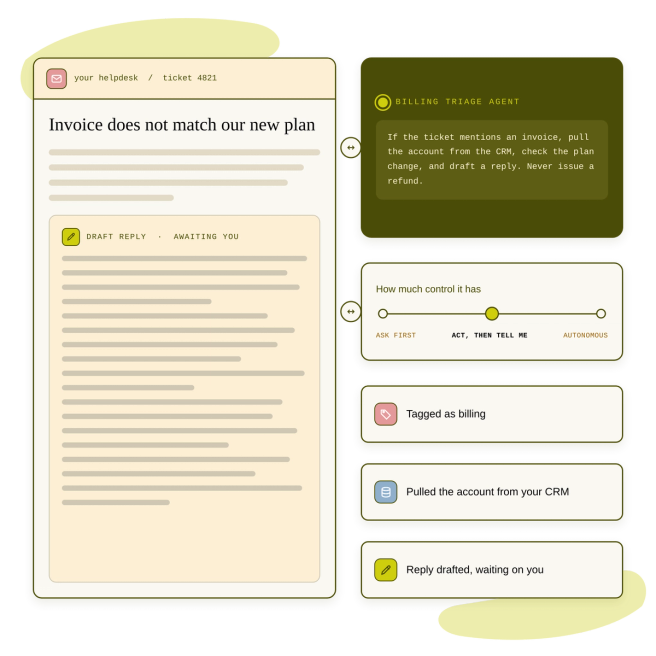
Embed AI agents within your tools to take actions on your behalf. You have full say over the agents' instructions.

How Mind works

  1. You tell Mind what you want to build

    Start with a description of what you want to build. If you're not exactly sure, Mind can help you brainstorm based on the problem you are facing.

  2. Mind walks you through the specification, design, and build process

    Mind acts as a friendly engineer, guiding you through the process of bringing an application to life. You just tell it what you want, how you want it to function, and Mind will take care of the technical details to make it a reality.

  3. Connect your data sources

    Mind will help you connect to your live data.

  4. Use the tool and share with your team

    Mind deploys a fully functioning application hosted on a secure Cloudflare server (or your own machine), which is ready to use and share with your team. Teams can collaborate through a shared workspace to bring new functionality to the app.

  5. Add more features

    Mind allows you to build software that evolves with your team. So if you want to add a new feature or change how something works, you can just ask Mind to make the change for you.

How Mind makes it easy

Built for the non-technical user

Mind makes the design, coding, and deployment of custom tools as easy as possible. It's like having a dedicated engineer converting your feature requests into a fully-functioning, fully-deployed apps.

Shareable with your team

Any tool you build can be shared with your team. You control permissions, so you team members could be restricted to be users of the tool, or invited to co-develop it with you.

Secure by default

Your tools are hosted on Cloudflare, so the only people who have access to your data are those you share it with. No worrying about open repositories or plain text data leaking outside your team or organization.

Fully hosted

Your tools are stored and run on the cloud, so both the agent and the tools you build function even with your laptop closed. If you'd prefer, you could self-host your tools on your own machine.

Takes care of app maintenance

Mind will proactively run tests and resolve bugs, maintaining your tools so you can trust they will just work when you need them.

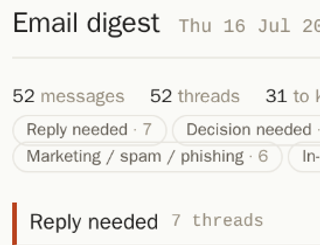
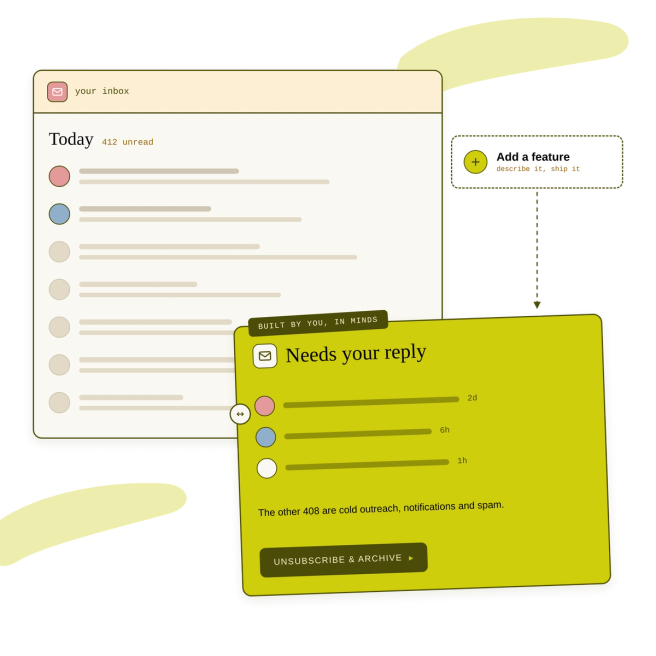
My email is overwhelming; I get 100s each day. I used Studio to make a custom email tool that shows me who I need to reply to and one-click unsubscribes and archives the cold outreach, notifications, and spam. My inbox has gone from 3700 emails to 40.

Kanjun Qiu
CEO
Kanjun Qiu
paperclip

“I have a whole graveyard of dashboards that I’ve built with Claude Code and I just gave up. Studio actually got it.”

Vito
Technical Marketing
Vito
paperclip

“When I migrated to Ramp, I was flipping between tools to look up how a given vendor was previously coded for each transaction. My Studio auto-codes all transactions for me by connecting to our P&L / Quickbooks, using AI to retrieve how similar transactions were categorized before."

Nick G
Bizops
Nick G
paperclip

“It’s hard to keep track of recruiting candidates from different sources. I built a Greenhouse + Luma extension - my Studio pulls LinkedIn + emails from event attendees into our recruiting database.”

Ming Yin
Recruiter
Ming Yin
paperclip

Frequently asked questions

How do I get it?

Mind is currently still under development and in beta testing, so if you’d like early access, please join the waitlist. Mind is free for all beta testers and their team members.

Isn’t this just vibe coding?

Mind builds in engineering best practices while stripping away the technical complexity, so it’s like working with a friendly engineer who speaks your language.

No struggling with technical questions you don’t understand. No worrying about how to deploy and host the thing. No worrying about long-term maintenance. Just say what you want, and Mind turns it into reality.

Where does my data live, and who can see it?

Your Mind can run on your own computer, or in the cloud managed by Imbue and hosted on Cloudflare. We do not view or use your data in any way (Note: users on the Explorer plan do opt to share some usage data for product development purposes; no data is shared with us from users on the Free plan).

What can Mind connect to?

Mind connects to the tools you already work in, so your agents can read from and act in them directly — no copy-paste, no export step.

Communication — Slack, Discord, Telegram, Zoom, Gmail

Docs and knowledge — Notion, Google Docs, Google Sheets, Google Slides, Google Drive, Dropbox

Engineering — GitHub, GitLab, Linear, Sentry, Figma, AWS, Coolify, ngrok, Tailscale, Hugging Face, OpenRouter

Calendar and contacts — Google Calendar, Google Contacts, Calendly, Todoist

Money and growth — Stripe, Ramp, Mailchimp, Google Analytics, Umami

And more — Claude, Google Directions, Yelp

A single agent can work across several of these at once — pull the thread from Slack, check the issue in Linear, and write the summary into Notion, in one pass.

My tool isn't on the list. Can I still use Mind?

Often, yes. Anything with an API. Mind can build against services that aren't in the connector list — you describe what you need and provide credentials, and the agent works with the API directly.

What can an agent actually do with a connected service?

Nothing, until you say so.

Connecting a service signs you in — or stores the credentials it needs — but it grants no access on its own. Every permission is off by default and turned on by you, per service. An agent that can read your calendar cannot send email unless you've allowed that separately.

You can review what's connected, see which permissions are on, and revoke any of them at any time. Revoking takes effect immediately; agents built on that service stop being able to use it rather than failing quietly.